









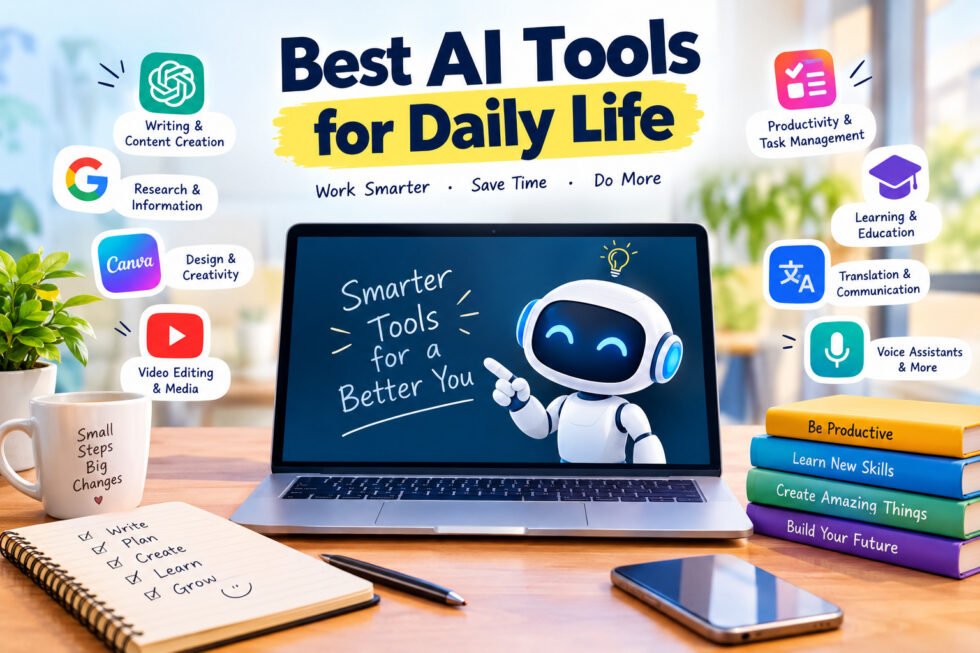
Best AI tools for daily life are no longer just something for technology enthusiasts. AI has slowly become part of the way many of us work, study, communicate, shop, create content, and organize our time.
Think about a normal day. You might have an email to write, a meeting to attend, a presentation to prepare, a photo to edit, something new to learn, or a long piece of information that you don’t have time to read completely. These are exactly the kinds of everyday situations where AI can be useful.
The good thing is that you don’t need to know how AI works behind the scenes. You don’t need to be a programmer either. Most modern AI tools work in a simple way: you tell the tool what you need, and it helps you get started.
There is one problem, though. There are now so many AI tools available that finding the right one can be confusing. Some are excellent for writing, others are better for research, design, productivity, images, or video.
So, instead of giving you a complicated list of hundreds of tools, let’s look at some of the best AI tools for daily life and, more importantly, how you can actually use them.
Why Are AI Tools Useful in Daily Life?
The biggest reason people use AI is simple: it saves time.
Nobody wants to spend 30 minutes writing a simple email or several hours organizing information that could be summarized in a few minutes.
AI can help you get past these small but time-consuming tasks. It can create a first draft, explain a difficult subject, organize your thoughts, suggest ideas, or help you find a better way to approach a task.
For example, a student might use AI to understand a difficult chapter before an exam. A business owner could use it to write a product description. Someone planning a holiday could ask AI to help organize a basic itinerary.
The important thing is to think of AI as an assistant, not as a replacement for your own judgment.
1. ChatGPT – A Handy AI Assistant
ChatGPT is probably one of the first AI tools that comes to mind when people talk about everyday AI.
What makes it useful is its flexibility. You can use it for completely different things depending on what you need at that moment.
Need help writing an email? Ask ChatGPT.
Don’t understand something you’re studying? Ask it to explain the topic in simpler language.
Planning a trip? Ask it to help organize your ideas.
Want some content ideas for your website or social media page? It can help with that too.
For example, if you have to send an important business email but don’t know how to phrase it professionally, you can explain the situation and ask for a polite draft. You can then change the draft so it sounds like you.
Students can also use ChatGPT for explanations and practice questions, while small business owners can use it for ideas, customer messages, product descriptions, and planning.
The best results usually come when you give it enough context instead of simply asking a one-line question.
2. Google Gemini – Useful for Questions and Ideas
Google Gemini is another AI assistant that can be useful for everyday questions, research, writing, and brainstorming.
If you’re already using Google’s services regularly, Gemini can fit naturally into your digital routine.
Imagine you’re planning a short trip. You could use AI to brainstorm places you might want to visit, create a rough plan for the day, or make a checklist of things you shouldn’t forget.
You can also ask Gemini to explain a complicated topic in simpler language.
As with any AI assistant, however, it’s worth checking important information yourself. Things such as prices, opening hours, product specifications, travel rules, and other time-sensitive information can change.
3. Microsoft Copilot – Useful for Work
If you spend a large part of your day working on a computer, Microsoft Copilot can be useful for productivity.
Work often involves repetitive tasks: writing documents, preparing presentations, organizing information, creating drafts, and summarizing content.
AI can help you get through some of that work more quickly.
For example, if you’re asked to prepare a business proposal, you don’t have to start with a completely blank page. You can ask AI to create a basic structure and then add your own information, experience, and ideas.
That doesn’t mean you should let AI write everything without checking it. Your knowledge and judgment are still what make the final document useful.
4. Grammarly – For Better Writing
Not everyone feels completely confident when writing in English. Even people who write regularly can make spelling, grammar, or sentence-structure mistakes.
That’s where Grammarly can be helpful.
You can use it when writing emails, blog posts, assignments, social media captions, job applications, or professional messages. It can point out mistakes and suggest ways to make your writing clearer.
For someone who uses English as a second language, tools like this can be especially useful.
Instead of worrying about every sentence, you can concentrate on what you actually want to say and then use AI-powered writing assistance to polish the final version.
5. Canva – Create Designs Without Being a Designer
You don’t have to be a professional graphic designer to need a good-looking image.
Maybe you need a poster for your business, a presentation for college, a thumbnail for YouTube, or an Instagram post.
Canva makes these kinds of designs much easier to create. Its AI features can also help with different parts of the creative process.
For example, a small shop owner could create a promotional poster without having to learn complicated professional design software.
You can start with an existing template, change the text and images, and adjust the design until it fits your needs.
6. Perplexity – Helpful When You’re Researching Something
Searching online isn’t always difficult, but finding a clear answer can sometimes take a surprising amount of time.
You search for something, open several websites, read different explanations, and then try to work out which information is actually useful.
Perplexity is designed to make this kind of research more conversational.
For example, if you’re thinking about buying a laptop, you could use an AI research tool to help understand the differences between different specifications and models.
It can give you a starting point for your research, but don’t treat an AI answer as the final word. For important purchases or decisions, check the original sources and current information yourself.
7. Notion AI – Keep Your Notes and Ideas Organized
How many times have you written something down and then struggled to find it later?
Notion can help bring notes, tasks, projects, and ideas into one place.
Its AI features can make working with those notes easier. You can use AI to summarize information, organize rough ideas, or turn a large amount of text into something easier to understand.
For example, imagine you have several pages of notes from a meeting. Instead of reading everything again, AI can help create a shorter summary containing the main points.
Students can use it for study notes, while professionals can use it for projects and meeting information.
8. Otter.ai – Let AI Take Notes for You
Taking notes during a meeting or lecture can be difficult because you’re trying to listen and write at the same time.
AI transcription tools such as Otter.ai can turn spoken conversations into written text.
This means you can concentrate more on what’s being discussed and review the transcript later.
Students may find this useful for lectures, while professionals can use it for meetings, interviews, and discussions.
Of course, if you’re recording another person’s conversation, make sure you follow the applicable consent and privacy rules.
9. AI Image Generators – Turn Words Into Images
One of the most interesting developments in AI is the ability to create images from text descriptions.
You can describe what you want to see, and an AI image tool can generate a visual based on your instructions.
This can be particularly useful for bloggers, social media creators, marketers, students, and small businesses.
For example, if you’re writing an article about artificial intelligence, you might want a futuristic technology image for the top of the article. Instead of searching through stock-image websites for hours, you can create a concept using an AI image generator.
Before using generated images for commercial purposes, always check the particular tool’s licensing and usage rules.
10. AI Video Tools – Make Editing Less Time-Consuming
Video has become one of the most popular forms of online content, but editing can take a lot of time.
AI-powered video tools can help with tasks such as creating captions, removing unwanted sections, improving audio, finding interesting moments, and turning longer videos into shorter clips.
Imagine you’ve recorded a 20-minute YouTube video. Instead of manually watching the entire video several times to find short clips, AI can help identify potential sections that could work as Shorts or social media posts.
The creative decisions should still come from you. AI is simply helping with the repetitive parts.
11. DeepL – A Useful Translation Tool
The internet has made communication across languages much more common.
You might receive an email in another language, travel to another country, or need to understand information from an international website.
DeepL provides AI-powered translation and writing assistance that can help in these situations.
For everyday communication, it can be extremely convenient. However, for important legal, medical, or official documents, it’s better to use a qualified human translator when accuracy is critical.
12. Todoist – Stay on Top of Your Tasks
Sometimes the problem isn’t that we have too much work. It’s that we have too many things to remember.
Shopping, appointments, work tasks, study deadlines, personal projects — keeping everything in your head can become exhausting.
Todoist can help you put those tasks into an organized system.
Instead of writing something vague like “study for exam,” you can break it into smaller tasks: review chapter one, make notes, practice questions, and take a mock test.
Breaking large tasks into smaller steps can make them feel much more manageable.
13. AI Voice Assistants – When You Don’t Want to Type
There are times when typing simply isn’t convenient.
Maybe you’re cooking, driving, exercising, or your hands are busy. Voice-based AI assistants allow you to interact with technology using your voice.
You can ask a question, set a reminder, start a timer, or search for information without typing everything out.
Voice AI is also becoming more natural, which makes it easier to have a normal conversation instead of using very specific commands.
14. Google Photos – Make Your Photo Library Easier to Manage
Most of us take far more photos than we realize.
After a few years, your phone can contain thousands of pictures, and finding one particular photo can become a nightmare.
AI-powered features in photo applications can make searching and organizing those memories easier.
Instead of scrolling through your entire gallery, you can often search based on what’s in the photo or use editing features to make simple improvements.
For people who take lots of photos, this can save a surprising amount of time.
15. AI Learning Tools – Your Personal Study Helper
Learning is one area where AI can be especially useful.
If you’re trying to learn something new, you can ask AI to explain a topic at a level that’s comfortable for you.
For example, if you’re learning programming and don’t understand a particular concept, you could first ask for a simple explanation, then ask for an example, and finally request a few practice questions.
This creates a more interactive learning experience.
The important thing is not to use AI simply to get answers. Use it to understand why an answer is correct. That way, you’re actually learning something rather than just copying a response.
How to Choose the Best AI Tools for Daily Life
With so many tools available, you don’t need to use all of them.
Start with a problem you actually have.
If writing takes you too long, try a writing assistant. If you struggle with organization, try a task-management tool. If you create content, experiment with AI image or video tools.
There’s also no reason to pay for an expensive subscription immediately. Many AI services offer free plans or trials, so you can see whether a tool is genuinely useful before spending money.
The best AI tools for daily life aren’t necessarily the ones with the longest list of features. They’re the ones that solve a problem you regularly face.
Are AI Tools Safe?
AI can be incredibly useful, but that doesn’t mean you should share everything with it.
Avoid entering passwords, banking information, confidential business documents, or other sensitive information unless you understand how the particular service handles your data.
You should also remember that AI can make mistakes.
An AI-generated answer may sound confident while still being wrong or outdated. For everyday questions, this may only be a minor inconvenience. For medical, legal, financial, or other important decisions, always verify the information and consult an appropriate professional.
How to Get Better Results From AI
You don’t need to learn complicated “prompt engineering” to get started.
Just explain what you want clearly.
For example, instead of writing:
“Write an email.”
Try something more specific:
“Write a short and polite email to a customer explaining that their order will be delayed by two days. Keep the tone professional and friendly.”
The second request gives the AI more context, so it has a much better idea of what you’re looking for.
You can also tell it who the audience is, what tone you want, how long the answer should be, and what information it should include.
A little extra context can make a big difference.
Final Thoughts
AI is becoming a normal part of everyday digital life, and you don’t need to be a technology expert to take advantage of it.
The best AI tools for daily life can help with things we all deal with — writing, learning, planning, research, organization, photography, video, and communication.
But the goal isn’t to hand over your entire life to AI.
The most useful approach is to treat AI like a helpful assistant. Let it handle some of the repetitive work, help you get started when you’re stuck, and give you ideas when you need them. Then use your own experience and judgment to decide what actually makes sense.
Start with one tool. Use it for a real problem. See whether it genuinely saves you time.
If it does, keep it.
That’s ultimately what makes an AI tool valuable — not how impressive it sounds, but whether it makes your everyday life a little easier.